
Three clocks behind every agreement
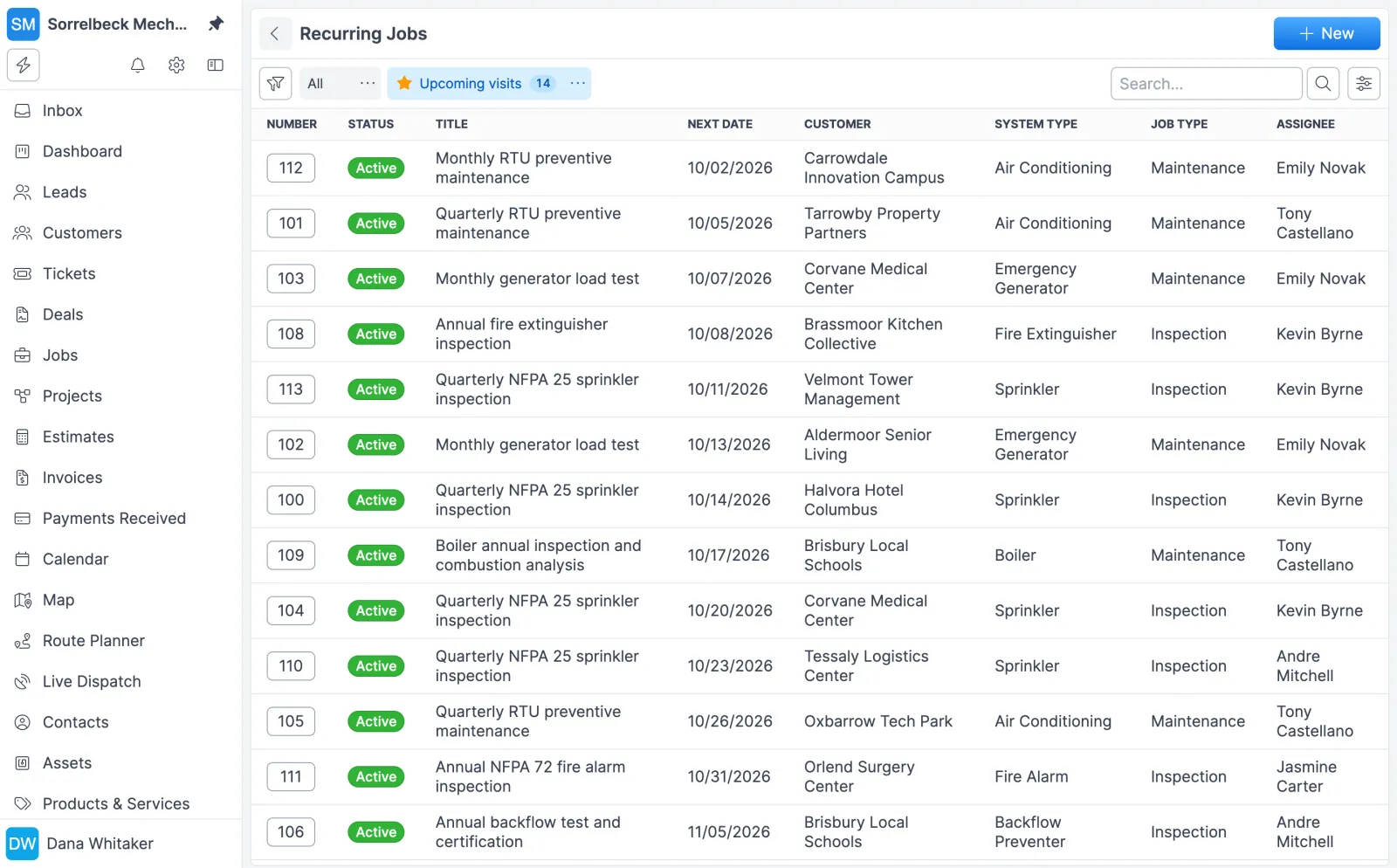
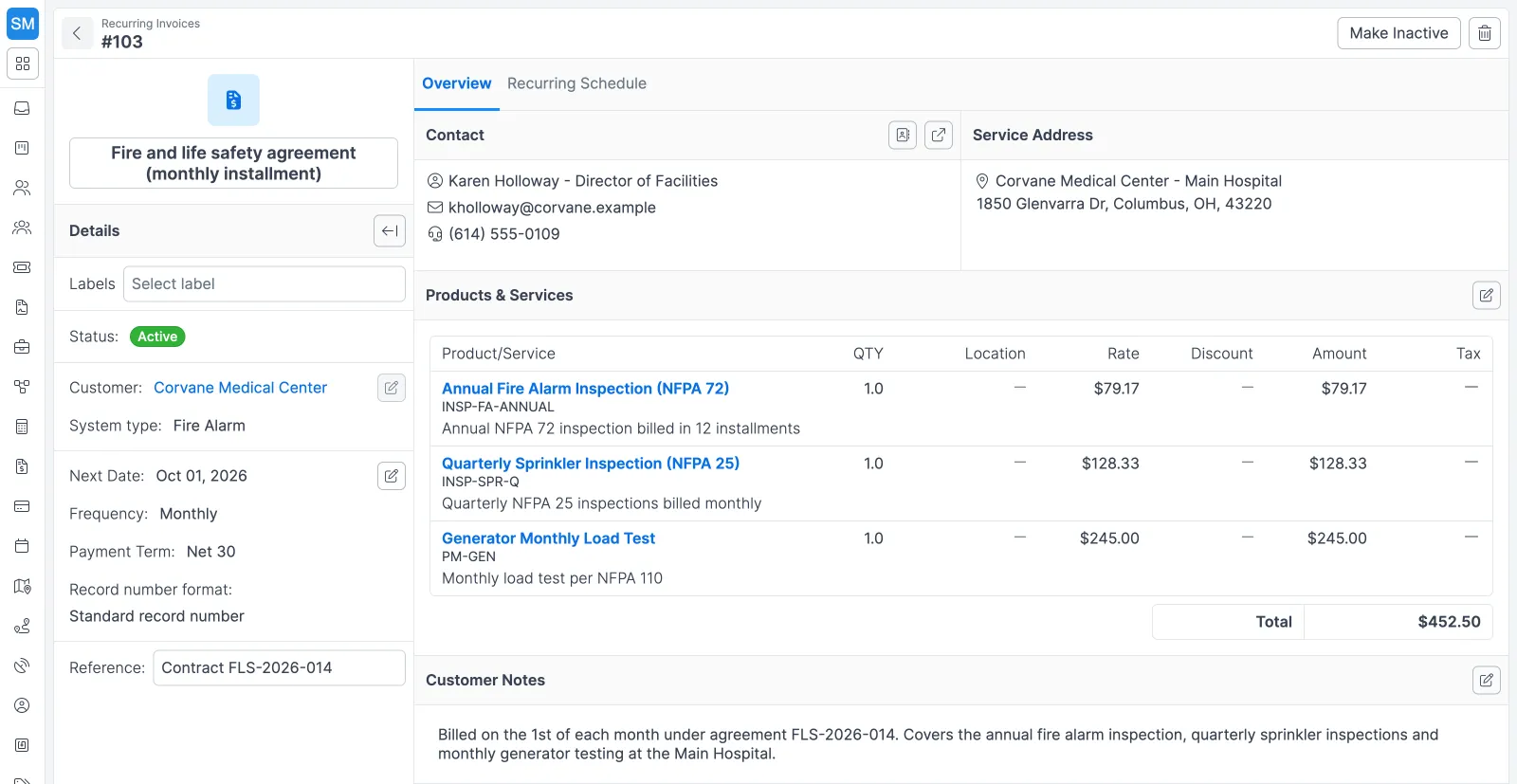
A service agreement in Forz is three schedules that run side by side. Each one does a different job, and each counts time a little differently.
| Clock | What it creates | Frequencies | How the next date is set |
|---|---|---|---|
| Visits (recurring job) | A numbered job in the first status of your workflow | Weekly, biweekly, monthly, every 3 or 6 months, yearly | From the schedule’s next date (monthly schedules keep their day of the month) |
| Billing (recurring invoice) | A Draft invoice, up to 5 days before its date | The same six options | 12 months of scheduled items are built in advance |
| Equipment (device inspection types) | A due date on each device | 13 options, daily through every 7 years | A fixed number of days after each saved result |
Visits and billing follow the contract calendar. Device due dates follow the equipment, so the office can see which monthly, annual or multi-year inspection each visit has to cover.
Setting up an agreement
- Build the first visit. Create a job for the customer. A job template such as Quarterly HVAC Maintenance fills in the job type, description, labels like Under Contract, and the line items.
- Make it recurring. Click Make Recurring on the job’s Recurring card and set the next date and frequency. For a fixed-term contract, create the schedule from Jobs > Recurring Jobs > New instead, which also takes an end date.
- Set up the billing. In Invoices > Recurring Invoices, choose the customer, frequency, next date and payment term, then the service address, system and line items.
- Register the covered equipment. Add the devices to the system at the customer’s site so each one tracks its own inspection due dates.
- Share the portal. Send the customer contact your portal URL so they can pull inspection reports and check open jobs themselves.
Agreements in practice
Monthly HVAC maintenance for a property manager
A 12-month maintenance agreement becomes a recurring job with the Maintenance job type, a monthly frequency, a next date at the contract start and an end date at the contract end. Standard line items such as filter replacement and system check ride along on every visit. On the billing side, a monthly recurring invoice carries three line items of $150, one per rooftop unit, for $450 a month, and Forz drafts each invoice ahead of its date.
Quarterly fire inspections
A fire protection company sets a recurring job to Every 3 Months with the Inspection job type and line items for labor and standard parts. Each cycle, a new inspection job appears, ready to schedule. The devices on the fire alarm and sprinkler systems keep their own clocks in between. More on that in fire inspection software.
Yearly backflow testing
A plumbing company sets a yearly recurring job with a next date that matches the customer’s compliance deadline, so the job arrives with time to schedule it. The line items cover the standard test fee and certification paperwork, and each saved test sets the backflow preventer’s next due date 365 days out.
Changing or ending an agreement
Contracts change mid-term. When they do, edit the recurring job, and the change applies to jobs generated from then on. Jobs already created keep their original details. To pause service, make the recurring job Inactive and reactivate it later. Deleting a recurring job stops future jobs but leaves the ones already generated in place.
Recurring invoices work the same way. Editing one clears the future scheduled items that have not become invoices yet and builds a new schedule from the updated frequency and next date. Invoices already generated keep their line items. Each schedule can also carry its own record number format for the jobs or invoices it generates.
Works with the rest of Forz
- Inspections and asset tracking holds the systems and devices behind each agreement.
- Invoicing and payments covers sending, checkout and payment records.
- The customer portal gives agreement customers their reports without a phone call.
- Scheduling and dispatch puts each generated job on the calendar.
- Workflow automation can add a follow-up task whenever a maintenance job moves to Completed.
Setting it up? The Recurring Jobs and Recurring Invoices guides walk through each screen.