
How reporting works in Forz
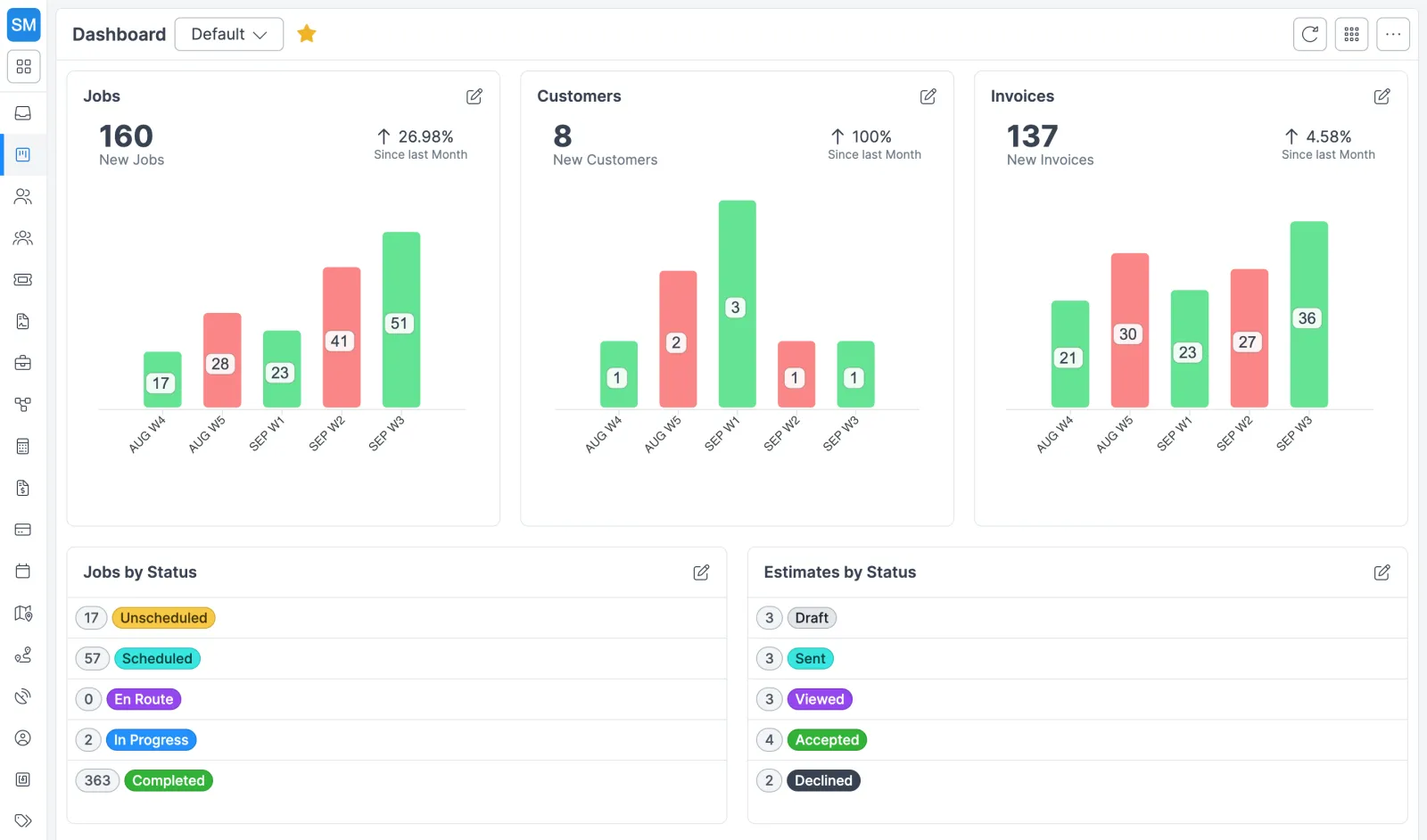
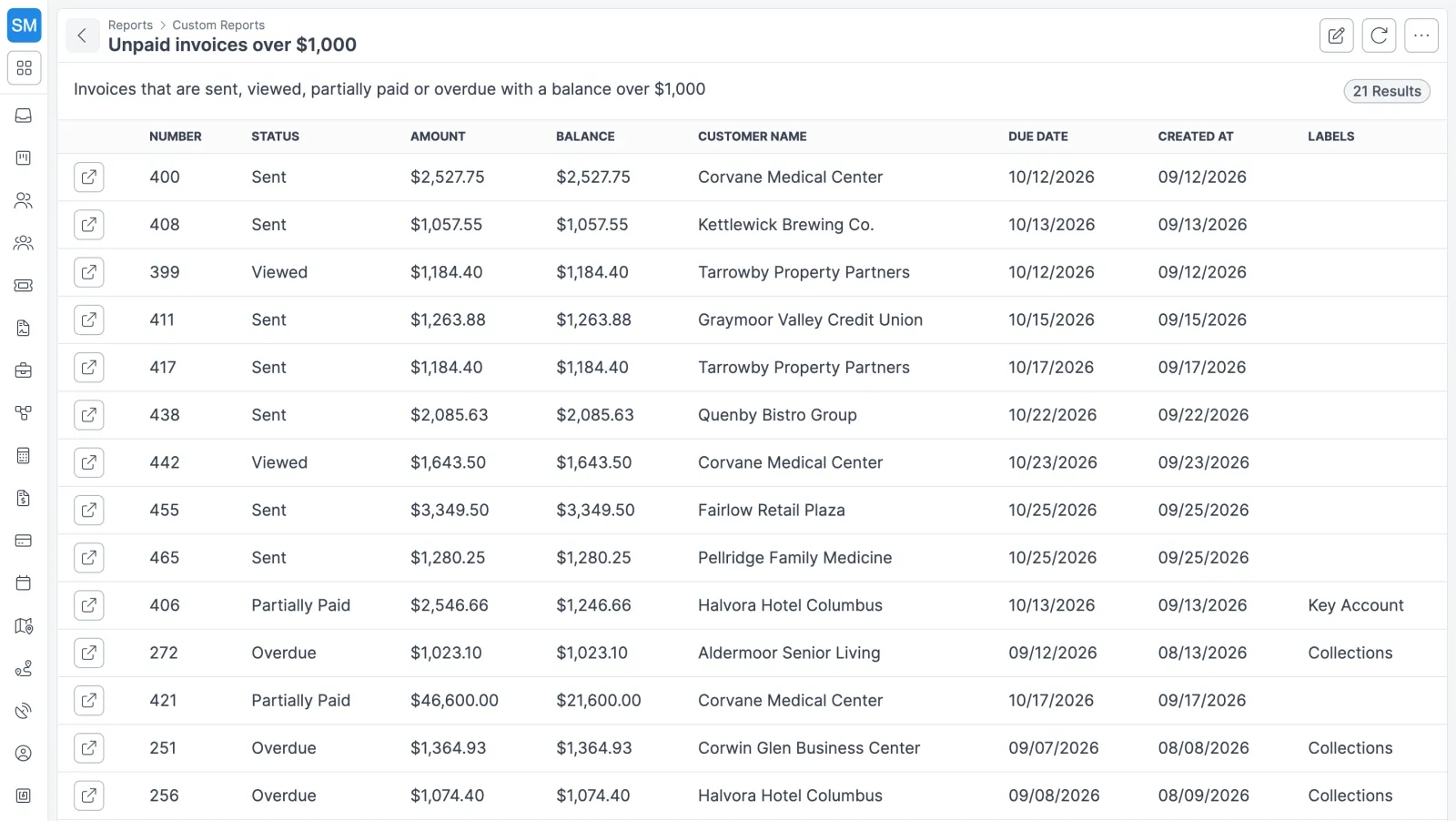
Forz gives you three ways to see your numbers. Dashboards answer “how are we doing today?” at a glance. Custom reports answer a specific question and export the answer. Saved views keep the lists you work from every day one click away.
Dashboards
- Open Dashboard, click the current dashboard’s name to open the switcher, and choose Create new dashboard. Give it a name, such as “Daily Dispatch” or “Monthly Revenue”, and an optional description.
- Click Edit layout (the grid icon) to enter Edit mode. Widgets sit on a 12-column grid, so a few small counters can share a row next to one large chart.
- Drag widgets from the Widget library onto the grid, then move and resize them. The library groups widgets by category.
- Click the pencil on a widget to set its display name, module, and period (or assignee), then save.
- Use Set as default on the dashboard you want to open first. A yellow star marks it in the dashboard switcher.
Custom reports
- Open Reports, click New Report, and choose a module: Customers, Jobs, Estimates, or Invoices.
- Describe what you want in plain language, for example “All jobs completed in the last 30 days with a total over $1,000”.
- Forz’s AI turns the description into a structured filter. “Overdue invoices with balance over 500” becomes
status = "Overdue" AND balance > 500. The report loads a few seconds later with a name the AI chose. - Click Edit table columns to keep only what you need, in the order you want.
- Export to CSV or PDF, or open the print view.
To change a report, edit its description and Forz rebuilds the filter. Deleting a report moves it to the trash bin and never touches the records it reported on.
Columns you can show
| Record | Report columns |
|---|---|
| Customer | Number, status, organization, assignee, created, updated, status updated, labels |
| Job | Number, status, customer name, job type, created, due date, status updated, total, labels, source |
| Estimate | Number, status, amount, customer name, estimate date, created, labels |
| Invoice | Number, status, amount, balance, customer name, due date, created, labels |
Common reports and dashboards
Collections list for the office manager
Create an Invoice report described as “All invoices with status Overdue”, export it to CSV, and hand it to whoever makes the collection calls. Keep the balance column in so the biggest amounts are easy to spot.
Weekly completed-work report for the service manager
Create a Job report for “Jobs completed in the last 7 days” and trim the columns to number, status, customer name, job type, total, and the status-updated date. Export it to PDF for the Monday meeting.
Morning board for dispatch
Build a dashboard called “Dispatch Operations”, put job widgets in the top row, and set it as the default so it loads every morning. The office can keep its own “Monthly Revenue” dashboard, with a column of invoice counters down the left and a wider chart beside them.
Works with the rest of Forz
- Billing: overdue and paid invoices come from invoicing and payments, where the Unbilled list also shows every finished job without a sent invoice.
- Sales: estimate reports sit on top of estimates, so a list of open quotes over a set amount takes one sentence to build.
- Projects: each project has a Finance tab with billed, paid, and outstanding amounts across its invoices.
- Your own AI agent: if you’d rather ask Claude, ChatGPT, or another assistant about your data, connect it with a Forz API key through the Forz CLI or REST API. See AI agents.
Setting it up? The Dashboards guide and the Custom Reports guide walk through each screen.