
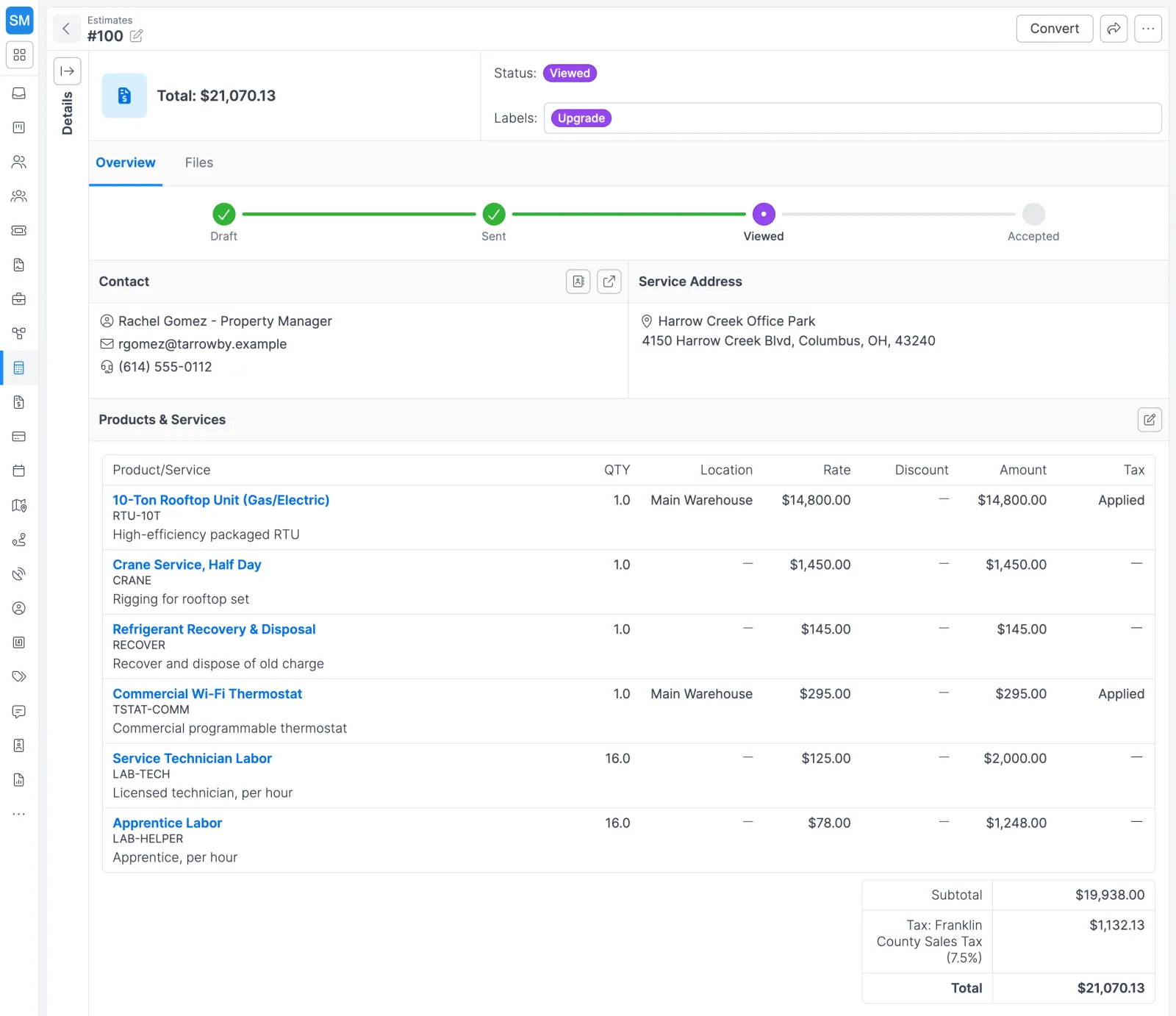
How estimating works in Forz
- Load your catalog. Add the products and services you quote, each with a unit price, unit cost, SKU, and category. If some customers get negotiated rates, set up custom price groups and assign them.
- Start the estimate. Pick the customer and job type, then the contact and service address. The date defaults to today and the due date to 30 days out. Assign an estimator, add the customer’s PO number as the reference, describe the scope in the rich-text editor, and tag it with labels such as “Commercial”.
- Add line items. Choose items from the catalog (or type a one-off), set quantities, and apply a discount or tax rate per line. The total recalculates as you go.
- Send it. Email the estimate using the default message from Settings > Estimates, or click Mark as Sent if you delivered it another way. Either way, Forz logs a note.
- Watch for the response. When the customer opens the link, the status moves to Viewed. They accept or decline online, or you record their answer by phone with Mark as accepted or Mark as declined, and Forz notes the time.
- Convert the win. Click Convert, then Job. The new job opens with everything the estimate already knew.
What carries over when you convert
| On the estimate | On the new job |
|---|---|
| Customer, service address, and contact | Copied over |
| System and job type | Copied over |
| All line items | Copied over |
| Status and number | Set fresh: the job starts Unscheduled, with its own job number |
The estimate records which job came from it, so anyone looking at the quote later can click through to the work.
Estimates in the field
HVAC maintenance contract
Riverside Office Park wants quarterly service. Your estimator sets the job type to Maintenance and adds “Quarterly HVAC Inspection” (4 at $275) and “Filter Replacement” (4 at $45), sets the due date 14 days out, and emails it. When the property manager accepts, a click creates the first maintenance job with both line items already on it.
Electrical panel upgrade across three buildings
A commercial customer asks for new panels in three buildings. The estimate carries line items for each building’s panel, labor, and materials, and a “Commercial” label for filtering. The facilities manager reviews and accepts through the link. Because the work spans three sites, the office sets up a customer project with a job per building, each with its own schedule and crew.
Plumbing repair that needs a signature
A property management company won’t approve work without a signed estimate. The property manager signs electronically, the signature is saved on the estimate, and it prints on the PDF your office files with the job. The free plumbing estimate template shows what a complete quote should include.
Before the estimate: leads and deals
Most commercial quotes start as a lead or a deal. A lead holds a prospect’s organization, contacts, and address until they qualify, and converting it carries everything over to a new customer. A deal tracks the opportunity itself: amount, close date, probability, and a weighted amount for forecasting. The field service CRM page covers the full pipeline, with duplicate detection and the deals board.
Works with the rest of Forz
- Invoicing: the job you converted becomes the invoice with one click, line items included. See invoicing and payments.
- Scheduling: converted jobs start Unscheduled, alongside the rest of the work waiting for a slot. See scheduling and dispatch.
- Customer portal: customers can see every Sent or Viewed estimate, download PDFs, and accept from the customer portal.
- Purchasing: the items you quote are the same items on your purchase orders, so materials for a won job are ordered by the same part numbers.
- Follow-up: a custom report lists open estimates over a set amount so nothing large goes quiet.
Setting it up? The Estimates guide walks through each screen.