
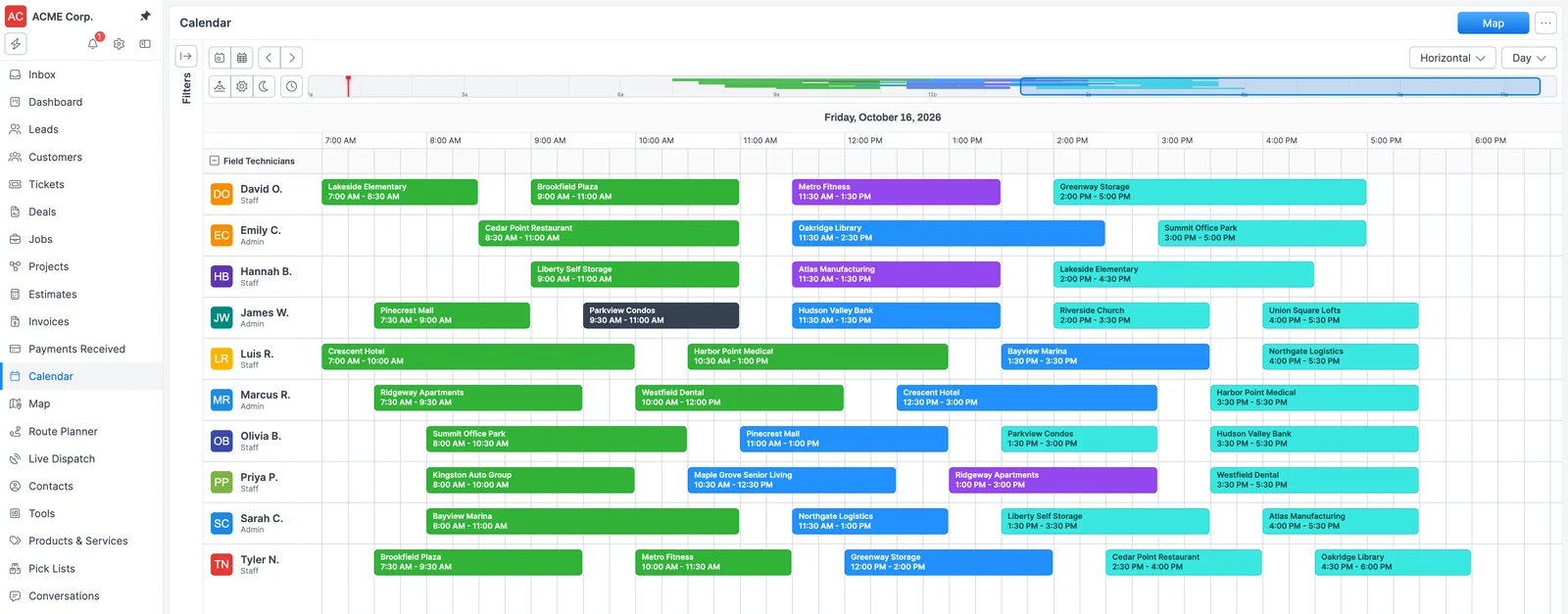
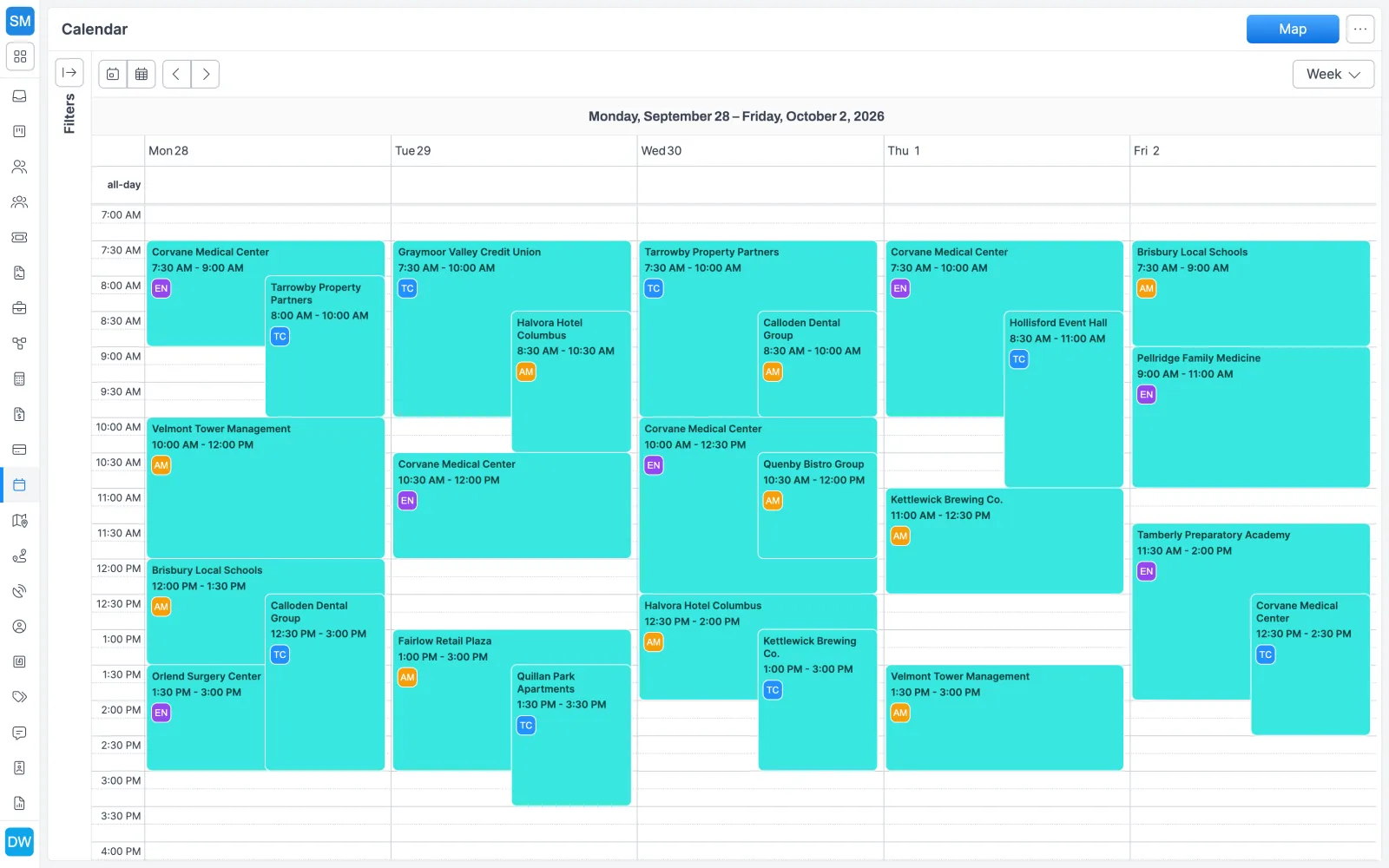
How scheduling works, step by step
- Set up skills and groups. Add skills in Settings > Skills and assign them to each technician. Create User Groups so the calendar can show one team at a time.
- Create the job. Every job has a customer, a service address, and a job type, and it starts as Unscheduled. Its dispatch info holds the required skills, due date, duration, and time window.
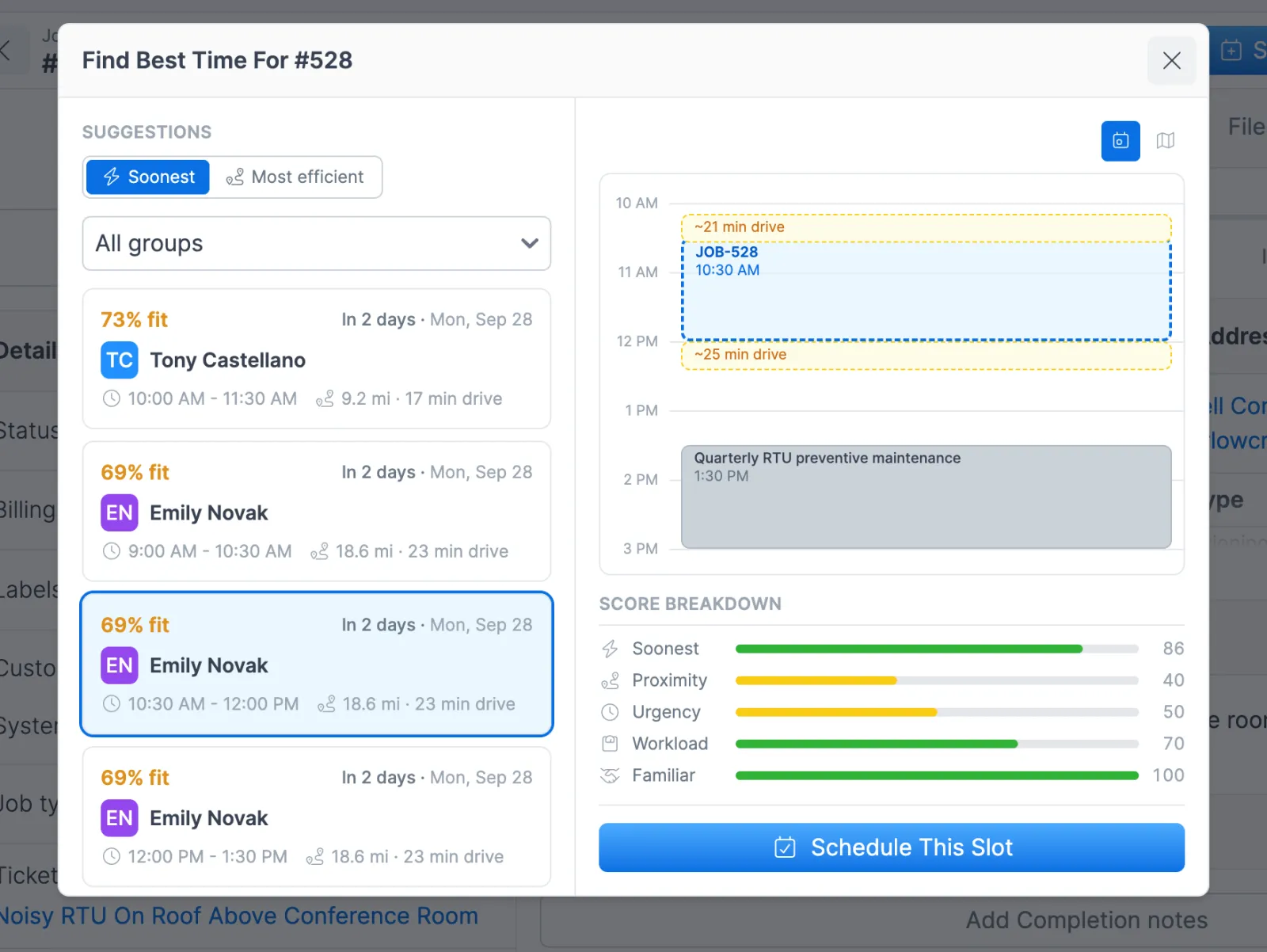
- Ask for suggestions. Open the job and click Schedule > Find Best Time. Forz returns up to 5 ranked technician and time slot options. When the job site and nearby appointments have coordinates, each option shows the average drive, and its calendar preview shows the drive in and the drive out.
- Accept one or place it yourself. Accepting creates the calendar event, assigns the technician, and moves the job to the next status in your workflow. You can also click a slot on the calendar, choose Schedule Job, and pick the job from the list.
- The technician sees it on the phone. The assigned technician finds the job in their schedule in the Forz mobile app, with alerts for new jobs and schedule changes when notifications are on.
Three scheduling situations
A fire alarm inspection that needs a certified tech
The job requires a technician with a “Fire Alarm Level 2” skill. When you request suggestions, Forz drops everyone without that skill before it scores a single slot, so every option on the list is qualified. Put the certification on the technician’s profile once, and every future job that requires it gets the same check.
A week of HVAC maintenance across the team
You have eight unscheduled HVAC maintenance jobs for the week. Request suggestions one job at a time. As you accept each one, the workload factor nudges the next suggestions toward technicians with lighter days, which helps spread the week instead of piling it onto one person.
An urgent repair in a full week
A rooftop unit fails at a property management client, and most of the week is already booked. Set the job’s due date to tomorrow and request suggestions. The search stops at the due date, urgency scores tomorrow’s open slots high, the calendar preview shows the real drive in from the previous appointment, and the dispatcher accepts the one that fits.
When to use the route planner instead
Scheduling places jobs one at a time. When you are planning a full day of stops for several technicians or crews, use route planning. You add the day’s jobs to a plan, Smart Dispatch assigns them to routes and orders the stops, and one Dispatch click puts the whole day on the calendar. Both tools use the skills on each technician’s profile. Schedule Suggestions needs one technician who holds every required skill, while the planner checks the combined skills of a route’s members.
Works with the rest of Forz
- Work orders: templates, statuses, and recurring jobs create the work you schedule.
- Mobile app: technicians see their assigned jobs on iOS and Android, including offline.
- Workflow automation: email the technician when a job moves from Unscheduled to Scheduled.
- Customer communication: keep SMS and email with each customer in one place.
- Online booking: customers pick an arrival window and the job lands on the calendar with a technician assigned.
- Time tracking: job timers record the time on each visit, and GPS clock-ins record each technician’s shift.
Setting it up? The Calendar guide and the Schedule Suggestions guide walk through each screen.