
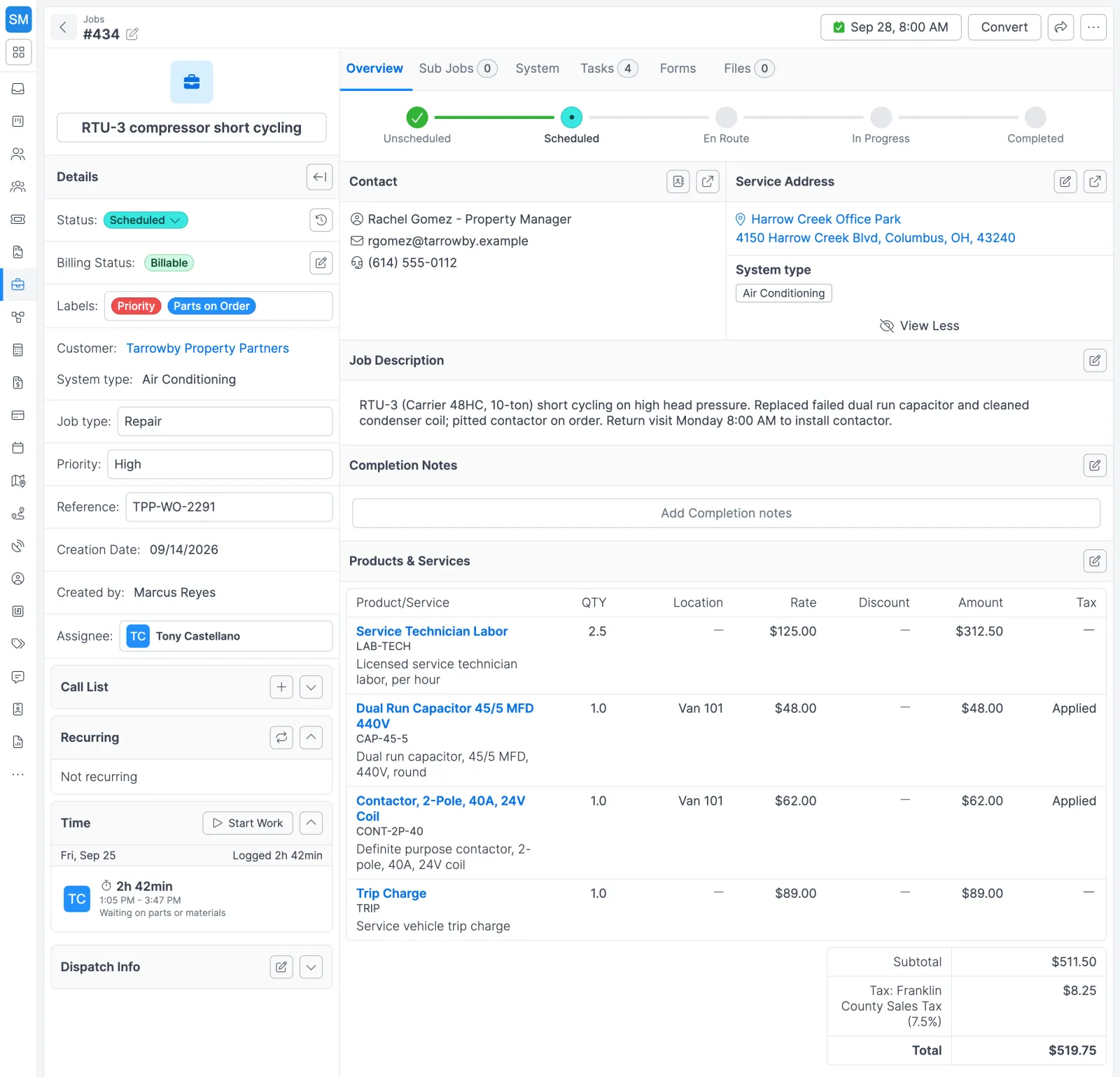
The life of a work order in Forz
- Create the job. Click + New under Jobs and pick the customer, service address, system, and job type, or start from a template. Forz titles the job from the system type and job type, for example “HVAC Maintenance”, and you can rename it.
- Add the scope. Write the job description, add products and services on the Overview tab, attach files, and fill in any custom fields.
- Schedule it. Place it on the calendar, accept an AI schedule suggestion, or leave Exclude from routing unchecked so it shows up in the route planner.
- Work it in the field. The assigned technician sees the job on their phone, captures photos and signatures, and runs job timers.
- Move it through statuses. Each status change is time-stamped, and workflows can send emails, add labels, set field values, or create tasks as the job moves.
- Bill it. Convert > Invoice copies the line items into a draft invoice. Anything done but not invoiced shows up on the Unbilled list.
Still on paper? Start from the free HVAC work order template and move to Forz when you’re set.
What Forz does when you save a job
| On save, Forz… | Details |
|---|---|
| Assigns a job number | Sequential and unique, or your own format such as WO2609-001 |
| Sets the first status | The first status in your job workflow, usually Unscheduled |
| Creates dispatch info | A default time window (Any Day, 6:00 AM–6:00 PM) and a 30-minute duration |
| Fills smart lists | When the system has smart list templates configured |
| Creates an inspection | When the job type is Inspection, the Inspection module is on, and a system is selected |
| Logs the creation | A note records who created the job |
Three work order setups
HVAC: a Waiting for Parts status
An HVAC shop adds a Waiting for Parts status (orange, active, shown in the status stepper) for jobs paused on a backordered part. Dispatchers filter the job list by that status to follow up with suppliers, and a saved view keeps that filter one click away.
Fire protection: quarterly inspections with their own numbers
A fire protection company sets up a recurring job on Every 3 Months, with inspection labor and standard parts as line items. The schedule carries its own number format, and year and month parts use each occurrence’s scheduled date, so every quarter’s job is easy to find by number.
Warranty callbacks that stay off the billing queue
Open the Warranty Callback job type in Settings > Job Types and set a Non-Billable Reason. Every new job of that type starts non-billable and never clutters the Unbilled list. Any single job can still be switched back to billable from its Billing Status row.
Works with the rest of Forz
- Scheduling and dispatch and route planning put each work order on a technician’s calendar.
- Mobile app: technicians open the job, capture photos and signatures, and keep working offline.
- Workflow automation: When-If-Then rules on jobs, customers, leads, and tasks.
- Invoicing and payments: turn the job’s line items into an invoice.
- Inventory management: parts added to a job count as committed stock until the job is invoiced.
- Project management: group several jobs under one project with its own billed, paid, and outstanding totals.
- Time tracking: job timers log the labor on each work order.
- Field service CRM: every job links back to its customer, site, and contacts.
Setting it up? The Creating Jobs guide and the Managing Jobs guide walk through each screen.